
On March 31st, Telegram dropped its biggest bot platform update in years. The Bot API now lets bots create and manage other bots autonomously, and a new AI-powered text editor ships with every Telegram client. For AI agent developers, Telegram just became an even more attractive deployment target.
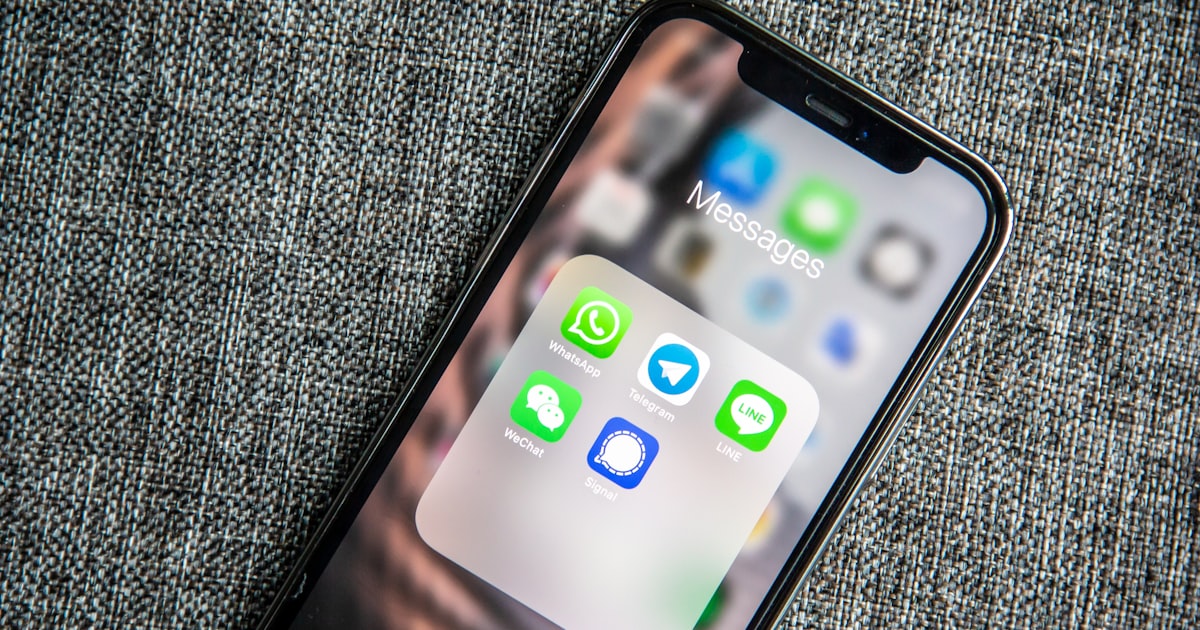
But most AI agents don't live on a single platform. Your team uses Discord. Your family uses WhatsApp. Your personal projects live in Telegram. The power of ZeroClaw's multi-channel architecture is running one agent across all of them simultaneously — same personality, same memory, same tools, different interfaces.
Here's how to set up all three.
Architecture Overview
ZeroClaw's channel system treats each messaging platform as a separate channel implementation. Channels are Rust traits — each platform implements the same interface with platform-specific logic underneath. The agent doesn't know or care which platform a message came from. It processes the message, generates a response, and sends it back through the originating channel.
Memory is shared across channels. A conversation you had on Telegram is available as context when you chat on Discord. The agent is one agent — the channels are just different windows into it.
Channel 1: Telegram
Telegram is the easiest channel to set up and the most capable for AI agent use.
Create your bot:
- 1.Open Telegram and message @BotFather
- 2.Send `/newbot`
- 3.Choose a name and username
- 4.Copy the API token
Configure ZeroClaw:
Add to `~/.zeroclaw/config.toml`:
```bash [[channels]] type = "telegram" token = "YOUR_BOT_TOKEN_HERE" allowed_users = [123456789] # Your Telegram user ID ```
Find your user ID by messaging @userinfobot on Telegram.
What Telegram offers:
- •Markdown formatting in bot responses
- •Inline keyboards for interactive prompts
- •File and image sending/receiving
- •Group chat support (the bot can participate in group conversations)
- •Voice messages (ZeroClaw can process these with a Whisper integration)
- •The new Bot API (March 2026) supports bot-managed bots — your ZeroClaw agent could theoretically create specialized sub-bots for specific tasks
Telegram's advantage: Zero API friction. Create a bot, get a token, start chatting. No business verification, no approval process, no usage fees. This is why Telegram is the developer's default platform for AI bot deployment.
Channel 2: Discord
Discord integration is almost as simple as Telegram, with better support for team/community use cases.
Create your bot:
- 1.Go to discord.com/developers/applications
- 2.Click "New Application," give it a name
- 3.Go to the "Bot" section, click "Add Bot"
- 4.Copy the token
- 5.Under "Privileged Gateway Intents," enable Message Content Intent
- 6.Generate an invite URL: OAuth2 → URL Generator → select "bot" scope and "Send Messages" + "Read Message History" permissions
- 7.Open the invite URL and add the bot to your server
Configure ZeroClaw:
```bash [[channels]] type = "discord" token = "YOUR_DISCORD_BOT_TOKEN" allowed_guilds = ["your_server_id"] command_prefix = "!" # Optional: respond only to messages starting with ! ```
What Discord offers:
- •Rich embeds for formatted responses
- •Thread support (the bot can create threads for long conversations)
- •Slash commands for structured interactions
- •Channel-specific permissions (the bot can be restricted to specific channels)
- •Voice channel integration (experimental in ZeroClaw)
Discord's advantage: Built for communities. If your agent serves a team or a Discord server, Discord's permission model and channel organization make it natural to scope the agent's access and visibility.
Channel 3: WhatsApp
WhatsApp is the most popular messaging platform globally but the hardest to integrate with for AI agents.
The official way: The WhatsApp Business API requires business verification, a Facebook Business Manager account, and approval from Meta. The process takes days to weeks. This is the right path for commercial deployments.
The community way: The Baileys library provides an unofficial WhatsApp Web API that works by simulating a WhatsApp Web session. ZeroClaw supports this integration.
Setup with Baileys:
```bash [[channels]] type = "whatsapp" method = "baileys" data_dir = "~/.zeroclaw/whatsapp" allowed_numbers = ["+1234567890"] ```
On first start, ZeroClaw will display a QR code in the terminal. Scan it with WhatsApp on your phone (Settings → Linked Devices → Link a Device). This links your WhatsApp account to ZeroClaw.
Caveats with Baileys:
- •Not officially supported by Meta — they could block the protocol at any time
- •Requires an active phone with WhatsApp installed
- •Session expires periodically (re-scan QR code when it does)
- •Rate limits are lower than Telegram/Discord
- •Not suitable for commercial or high-volume use
WhatsApp's advantage: Reach. Your non-technical family members, clients, and contacts are on WhatsApp. If you want your AI assistant accessible to people who don't use Telegram or Discord, WhatsApp is the way.
Running All Three Simultaneously
The complete multi-channel config:
```bash [provider] type = "openai-compatible" base_url = "http://localhost:11434/v1" model = "llama3.1:8b"
[agent] name = "Assistant" personality = "Helpful and concise. Adapt response length to the platform — shorter on WhatsApp, can be longer on Discord."
[memory] type = "sqlite" path = "~/.zeroclaw/memory.db"
[[channels]] type = "telegram" token = "TELEGRAM_TOKEN" allowed_users = [123456789]
[[channels]] type = "discord" token = "DISCORD_TOKEN" allowed_guilds = ["guild_id"]
[[channels]] type = "whatsapp" method = "baileys" data_dir = "~/.zeroclaw/whatsapp" allowed_numbers = ["+1234567890"] ```
Start ZeroClaw once. All three channels connect simultaneously. Messages from any channel are processed by the same agent with the same memory and tools.
Cross-Channel Memory
The most powerful aspect of multi-channel setup is shared memory. Ask your agent on Telegram about a project, then continue the conversation on Discord. The context carries over because memory is stored centrally, not per-channel.
ZeroClaw tags each memory entry with its source channel, so you can ask "what did I discuss on Telegram yesterday?" and the agent can filter appropriately. But by default, all context is available regardless of which channel you're currently using.
Platform Selection Guide
| Use Case | Best Platform | Why | |----------|--------------|-----| | Personal assistant | Telegram | Fastest to set up, best bot API | | Team/community bot | Discord | Channel organization, permissions | | Family assistant | WhatsApp | Everyone already has it | | Development/testing | CLI | No external dependency | | All of the above | Multi-channel | One agent, everywhere |
Start with one channel. Add more as needed. ZeroClaw's channel system is additive — each new channel is a config block, not a rearchitecture.