
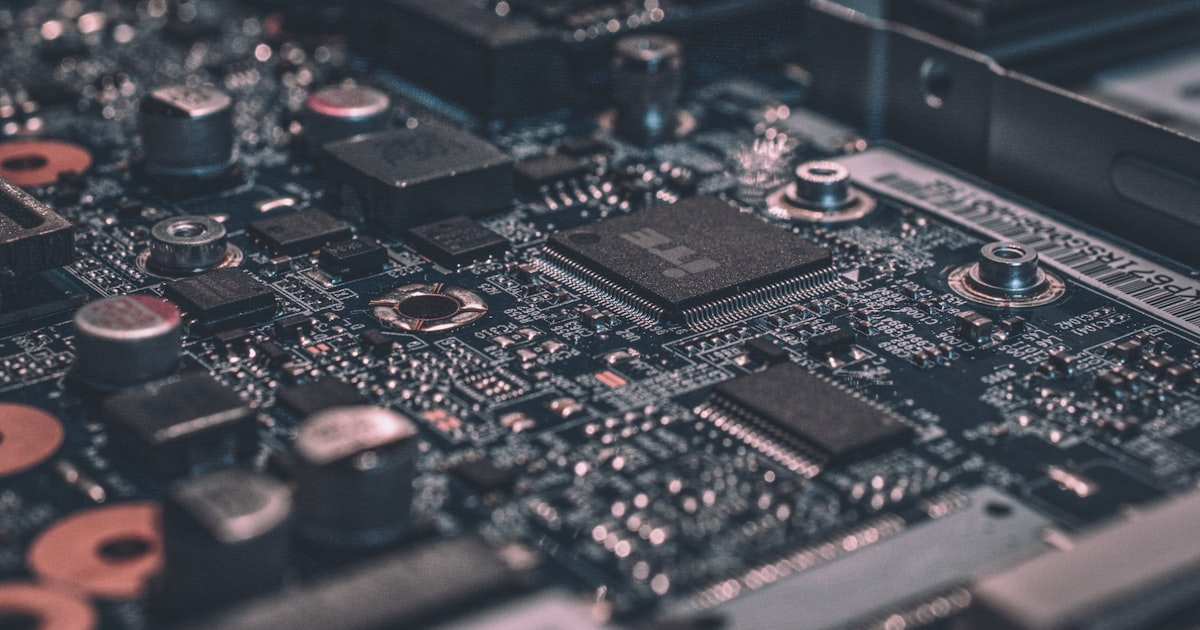
On January 15th, Raspberry Pi dropped the AI HAT+ 2 — a PCIe add-on that straps a Hailo-10H accelerator and 8GB of dedicated LPDDR4X memory onto a Pi 5. The spec sheet reads like a different product category than the original AI HAT: 40 TOPS of INT4 inference, enough to run quantized 8B-parameter models at conversational speed.
That changes the calculus for edge AI agents entirely. A Pi 5 with the original HAT could handle object detection and simple classification. A Pi 5 with the HAT+ 2 can run a language model that actually thinks.
ZeroClaw's 3.4MB binary was designed for exactly this kind of hardware. Here's how to put them together.
What You Need
The hardware list is short:
- •Raspberry Pi 5 (4GB or 8GB model) — $60-80
- •Raspberry Pi AI HAT+ 2 — $130
- •MicroSD card (32GB+) or NVMe SSD via M.2 HAT — $10-30
- •USB-C power supply (27W recommended) — $12
- •A case with adequate ventilation (the HAT+ 2 runs warm under load)
Total cost: roughly $220 at retail, under $200 if you shop around or already own a Pi 5.
For comparison, the cheapest NVIDIA Jetson that delivers comparable inference performance is the Orin Nano at $499. An RTX-equipped mini PC starts north of $600. The Pi + HAT+ 2 combo delivers 40 TOPS in a form factor that fits in your palm.
Setting Up the Pi
Start with a fresh Raspberry Pi OS (64-bit, Bookworm). The AI HAT+ 2 requires kernel 6.6+ and the Hailo runtime packages.
```bash sudo apt update && sudo apt full-upgrade -y sudo reboot ```
After reboot, install the Hailo runtime:
```bash sudo apt install hailo-all ```
This pulls in the Hailo RT driver, the HailoRT library, and the TAPPAS framework. Verify the accelerator is detected:
```bash hailortcli fw-control identify ```
You should see the Hailo-10H listed with its firmware version and serial number. If the device isn't found, check that the HAT+ 2 is firmly seated on the PCIe connector and that you're running the 64-bit OS.
Installing ZeroClaw
ZeroClaw installs with a single command:
```bash curl -fsSL https://raw.githubusercontent.com/zeroclaw-labs/zeroclaw/main/scripts/bootstrap.sh | bash ```
The binary downloads in seconds — it's 3.4MB. On ARM64, ZeroClaw is compiled with musl for a fully static binary with zero system dependencies. No Node.js, no Python runtime, no dependency hell.
Verify the installation:
```bash zeroclaw --version zeroclaw doctor ```
The doctor command checks that all required system components are present and reports any issues.
Installing Ollama for Local Models
Ollama manages model downloads and provides an OpenAI-compatible API that ZeroClaw talks to natively:
```bash curl -fsSL https://ollama.com/install.sh | sh ```
Now pull a model. For the Pi 5 with AI HAT+ 2, these are the practical choices in 2026:
For general conversation (recommended starting point): ```bash ollama pull llama3.1:8b ```
For coding assistance: ```bash ollama pull qwen2.5-coder:7b ```
For ultra-fast responses on lighter tasks: ```bash ollama pull gemma3:4b ```
The 8B models consume roughly 5-6GB of the HAT+ 2's 8GB memory, leaving headroom for the runtime. The 4B models are snappier — expect 20+ tokens per second versus 12-15 for the 8B class.
Configuring ZeroClaw
Create the configuration file:
```bash mkdir -p ~/.zeroclaw ```
Edit `~/.zeroclaw/config.toml`:
```bash [provider] type = "openai-compatible" base_url = "http://localhost:11434/v1" model = "llama3.1:8b" api_key = "not-needed"
[agent] name = "EdgeBot" personality = "Helpful assistant running on local hardware. Concise responses preferred."
[memory] type = "sqlite" path = "~/.zeroclaw/memory.db" ```
Start ZeroClaw:
```bash zeroclaw start ```
Cold start takes under 10 milliseconds. The first query takes a few seconds as Ollama loads the model into the accelerator's memory; subsequent queries respond in 1-3 seconds depending on length.
Adding a Chat Channel
A local AI agent is more useful when you can talk to it from your phone. ZeroClaw's Telegram integration is the easiest channel to set up:
- 1.Message @BotFather on Telegram and create a new bot
- 2.Copy the token
- 3.Add to your config.toml:
```bash [[channels]] type = "telegram" token = "YOUR_BOT_TOKEN" allowed_users = [your_telegram_user_id] ```
Restart ZeroClaw and message your bot. The response comes from the model running on your Pi — no data leaves your local network except the Telegram message routing through their servers. The actual AI inference happens entirely on your desk.
Performance: What to Expect
Real-world performance numbers on Pi 5 + AI HAT+ 2 with llama3.1:8b (Q4_K_M quantization):
- •First token latency: 800ms-1.2s
- •Generation speed: 12-15 tokens/second
- •Idle RAM usage: ZeroClaw 4MB + Ollama ~200MB + model ~5.5GB
- •Peak power draw: 18-22W (Pi + HAT+ 2 under full inference load)
- •Thermal: 65-72C on the Hailo chip with passive cooling, stable with a fan at 55C
For the smaller gemma3:4b model:
- •First token latency: 400-600ms
- •Generation speed: 22-28 tokens/second
- •Model memory: ~3GB
These aren't cloud-model speeds. But they're fast enough for conversational use, and the response quality from quantized 8B models has improved dramatically through 2025 and into 2026. For the majority of daily assistant tasks — answering questions, summarizing text, drafting messages, light coding help — a local 8B model is genuinely useful.
Running as a System Service
You want ZeroClaw running at boot, surviving reboots, and restarting on crashes:
```bash sudo zeroclaw service install sudo systemctl enable zeroclaw sudo systemctl start zeroclaw ```
Check status:
```bash sudo systemctl status zeroclaw journalctl -u zeroclaw -f ```
ZeroClaw's single-binary architecture means there's no process manager, no dependency chain, no virtual environment to break. The systemd unit file is five lines. It either runs or it doesn't, and when it runs, it uses 4MB of RAM.
What This Setup Replaces
Consider what you're replacing: a $20/month ChatGPT subscription, or a $10/month API budget that creeps up with usage. The Pi + HAT+ 2 setup costs $200 upfront and roughly $3-5/year in electricity. At typical household usage, it pays for itself in under a year.
More importantly, the data stays on your hardware. No prompts sent to OpenAI. No conversation history stored on someone else's servers. No terms of service that might change next quarter. The SQLite file on your MicroSD card is yours.
Going Further
Once the basic setup is running, there are natural next steps:
- •Add multiple models — use gemma3:4b for quick questions and llama3.1:8b for complex ones. ZeroClaw can route based on message complexity.
- •Connect more channels — Discord, WhatsApp via Baileys, or the CLI for terminal access.
- •Enable tools — give the agent access to web search, file operations, or home automation via Home Assistant.
- •Set up backups — the entire agent state lives in `~/.zeroclaw/`. A cron job copying that directory to a USB drive or NAS gives you complete disaster recovery.
The Pi 5 + AI HAT+ 2 + ZeroClaw combination is the first genuinely practical edge AI agent setup. Not a demo, not a proof of concept — a daily-driver AI assistant that runs on your desk, on your network, under your control, for the cost of a nice dinner.